Website maintenance so the site never becomesa risk.
Updates, backups, security, uptime, speed, content edits and a monthly report, on a retainer that fits how often your site changes.


In short
Website maintenance is the routine care that keeps a site secure, fast and current: software updates, backups, security checks, uptime monitoring, speed upkeep and small content edits. A retainer makes these a monthly habit, so problems are fixed before visitors or search engines notice.
- Updates and backups. Core, plugins and themes kept current, with restore points.
- Security and uptime. Scans, hardening and monitoring with alerts.
- A monthly report. A plain summary of what was done and what is next.
Read the full guide
Monday Marketing Company (MMC) maintains WordPress and other sites for B2B, education and D2C brands, whether or not we built them.
What a maintenance retainer covers
Most site problems are not dramatic. An outdated plugin, a failed form, a slow page or an expired certificate quietly costs enquiries for weeks. A retainer puts someone on the checklist every month.
We work on WordPress most often, and also on custom and other CMS sites. If we built your site with our WordPress development team, we already know how it is put together.
What each level of care covers
We describe three levels of care. The right one depends on how often your site changes and how much it earns. Talk to us and we will suggest a level and write down exactly what is included.
What a retainer looks after.
Six jobs done every month, so you do not have to remember them.
- Updates. WordPress core, plugins and themes updated on a schedule, tested first on a staging copy where possible.
- Backups. Regular off-site backups with a tested restore, so a bad update is reversible.
- Security. Malware scans, login protection, firewall rules and fixes for known vulnerabilities.
- Uptime and speed. Monitoring with alerts, plus image, script and caching upkeep to keep pages quick.
- Content edits. Small text, image, banner and page changes done for you within the agreed hours.
- Monthly reporting. What was updated, what was fixed, what to watch and what we suggest next.
Why brands choose MMC for maintenance
A site that is cared for keeps earning its place.
- A named person. Someone who knows your site, not a ticket queue.
- Tested before live. Updates are checked so they do not break layouts or forms.
- Clear scope. You see what is covered, and anything extra is quoted first.
- Joined up with growth. Maintenance sits next to SEO and conversion work, so fixes help results.
Uptime Watched all month, alerts to a named person
Site
UpForms
UpCheckout
UpBackups Off-site, and a restore that has been tried
- Daily copyOff-siteSaved
- Weekly copyOff-siteSaved
- Before every updateOff-siteSaved
Updates Tried on a copy first, then made live
- CoreTested on a copyLive
- ThemeTested on a copyLive
- PluginsTested on a copyLive
Security Checked on a schedule
- Malware scanClean
- Login protectionOn
- Firewall rulesOn
- Known vulnerabilitiesPatched
Monthly report In plain words
The work, shown
What we actually do each month to your site.
- 01
Watch uptime and alert a person.
Monitoring covers the site, forms and checkout, with alerts that reach someone who knows your site.
- 02
Keep off-site backups and test restores.
A bad update is reversible because the restore has been tried, not assumed.
- 03
Test updates on a copy first.
Core, theme and plugins are checked on a copy, then made live on a schedule.
- 04
Scan, harden and patch.
Malware scans, login protection, firewall rules and fixes for known vulnerabilities.
- 05
Send a plain monthly report.
What was done, what to watch and what we suggest next, with extras quoted first.
Where it leaks
Four ways site care goes wrong.
- 1
Site audit
Updating a site nobody has audited.
Old plugins, weak hosting and missing backups stay hidden until something breaks.
How we run it. We check versions, plugins, hosting, backups, security and speed, and list what needs fixing first.
- 2
Backups and updates
Updates run straight on the live site.
One bad update can break a layout or a form.
How we run it. We set up backups and monitoring, and a safe copy to test updates before they go live.
- 3
Security and uptime
Maintenance done when someone remembers.
Scans, checks and small edits slip when nobody owns them.
How we run it. Updates, scans, checks and small edits happen on a schedule you can see.
- 4
Monthly report
No record of what was done.
Without a summary you cannot tell what was fixed or what comes next.
How we run it. Each month you get a summary, and we suggest changes worth making next.
How the work runs
How we run website maintenance, step by step.

Step 1
Audit the site
We check versions, plugins, hosting, backups, security and speed, and list what needs fixing first.
You get: A ranked list of what to fix first.
Step 2
Stabilise
We fix the urgent items, set up backups and monitoring, and create a safe way to test updates.
You get: Backups, monitoring and a safe place to test.
Step 3
Run the routine
Updates, scans, checks and small edits happen on a schedule you can see.
You get: A routine you do not have to remember.
Step 4
Report and improve
Each month you get a summary, and we suggest changes worth making next.
You get: A plain report and a short list of next steps.
Timing depends on scope. We agree it with you before work starts.
Maintenance for sites that earn or represent you.
A good fit
Your site takes enquiries or orders, and nobody on your team has time for updates and security.
It suits B2B firms, colleges and D2C brands on WordPress or similar.
Not a fit
You plan to replace the site soon.
In that case a rebuild may be the better spend, and we will say so.
Common questions
Questions about website maintenance.
What is website maintenance?
It is the routine work that keeps a site secure, fast and up to date: software updates, backups, security checks, uptime monitoring, speed upkeep and small content changes.
What is included in your website maintenance plans?
Updates, backups, security scans, uptime monitoring, speed checks, broken link fixes, small content edits and a monthly report. The comparison table on this page shows what each level covers.
Do you maintain sites you did not build?
Yes. We audit the site first, fix urgent issues and then bring it onto the routine. We may suggest changes if the build makes upkeep risky.
Do you only maintain WordPress sites?
WordPress is the most common, and we also look after custom builds and other CMS sites. Tell us the platform and we will confirm.
What happens if my site is hacked?
We restore from a clean backup, remove the malware, close the way in and report what happened. Cleanup is scoped on a call if the site is already infected.
How do content edits work?
You send a request by email or a shared board, and we make the change within the agreed hours. Larger changes are quoted before we start.
What does website maintenance cost?
It depends on the platform, the size of the site and how much editing you need. Talk to us and we will recommend a level and write the scope down.

Put your site on a monthly routine.
On a call, with a senior strategist. We audit your site and recommend the level of care it needs.
Run the numbers, read the method
Tools and guides behind the numbers.
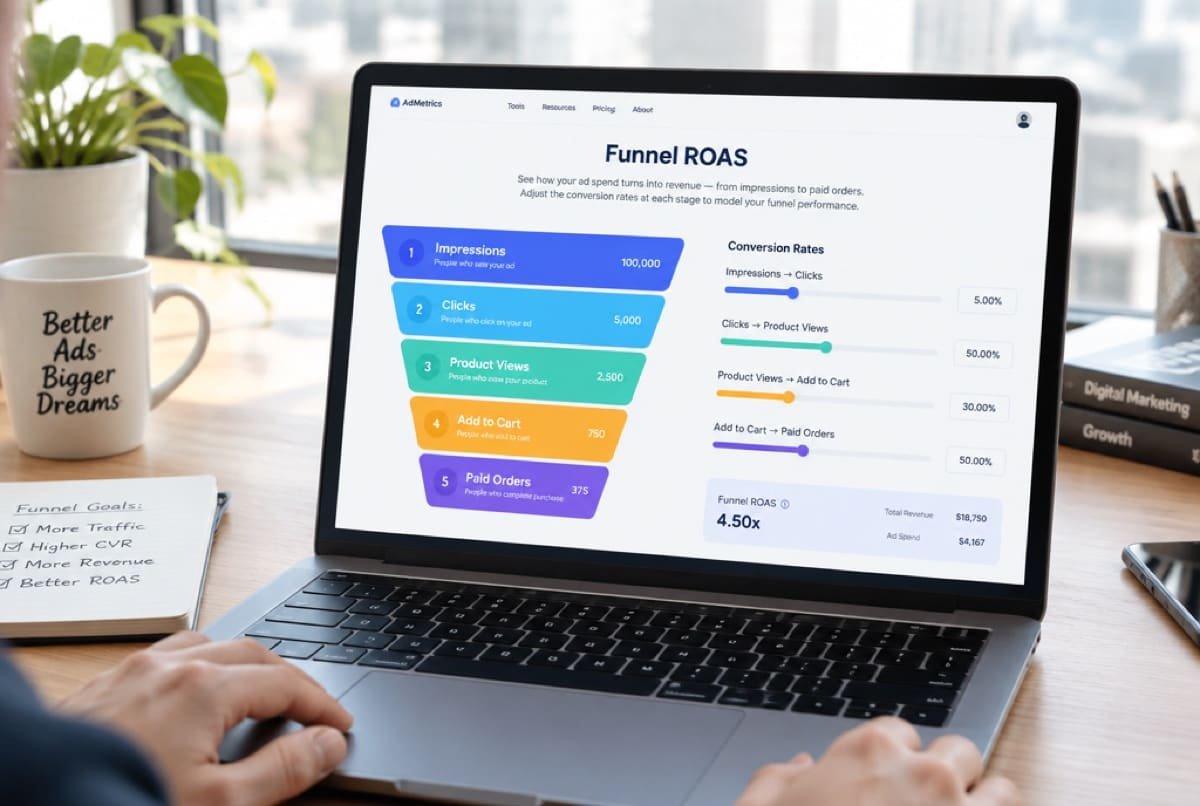 CalculatorFunnel ROASWhich step between an impression and a paid order is leaking.Open the calculator
 CalculatorUnit economicsWhat one order leaves behind, from CM1 to CM3.Open the calculator
 GuideWhy ad dashboards over-count salesMeta, Google and your store each count their own conversions, so the totals never match. Here is why dashboards over-count and how to read results anyway.Read the guide
Ready when you are
Put your site on a monthly routine.
On a call, with a senior strategist. We audit your site and recommend the level of care it needs.